Description
Have you ever opened a space game on your phone, started playing, and wished you could control a powerful spaceship while exploring a battlefield full of enemies? That is the kind of experience many players look for when searching for Space Warfare.
Users are playing this game to just time pass and want to enjoy it during short breaks. You don’t need to buy an expensive device; just your Android, iPad, and computer are enough to run this game. There are several game names in the space-combat game. Every game gives its own features and controls.
In the following simple article, you are going to explore space warfare. You will learn the download, installing tip, and pros and cons of this game. If you are looking for video player that can play all format file then Arc Player can be great option.
What is Space Warfare?
Space Warfare is a name associated with space-combat gaming. You need to control the spaceship and avoid obstacles and fighting with enemies. This game is an online game that you can play by staying online on the page. So visit a trusted website to play this game online.
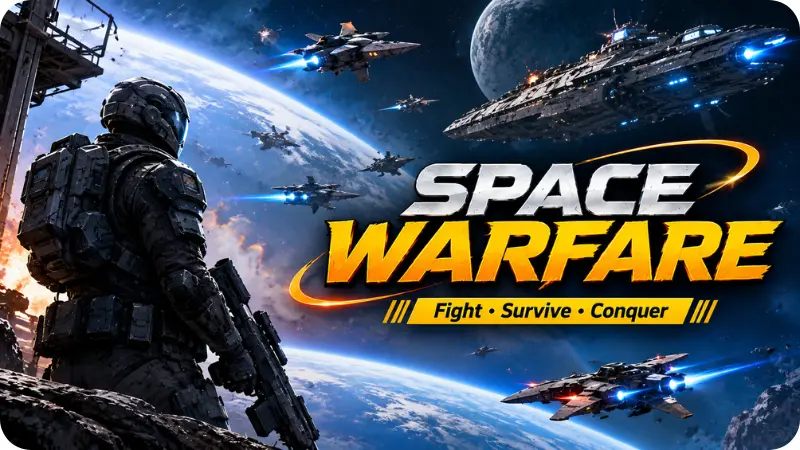
The interesting thing about this game is the feeling of controlling a ship in a setting that is very different. Different weapons, interesting maps, and environments are keeping users engaged in the game. So this game could be a great option for those who like space games.
What Makes Space Warfare Game Fun
The following are reasons for making this game fun:
You think in 3D. You know that there is no road in space. You move in every direction. It feels like a unique game and different from casual games.
Strategy beats speed (in some). In this game your strategy matters more than your fast clicks. This option is great if you have a low-end device.
Online matches with real people. You can play this game with real human players, and you can’t defeat them easily. This makes this game more enjoyable.
Ship upgrades. You earn points, then improve your ship. It keeps the user playing daily games.
Small file sizes (for some). The Android one is around 52 MB. That is lighter than many popular mobile games.
Which One Should You Pick?
Use this simple guide.
- You have a phone only: Try Cosmic Warfare on Android.
- You have a Windows laptop and like thinking, “Try Space Warfare (the satellite one) or Stellar Warfare.”
- You want quick action on PC: Try Space Jet 3D from the Microsoft Store.
- You love big story-style battles: Look at Space Warfare: Infinite.

How to Download Space Warfare (Step by Step)
The downloading method is that this game is so simple. So following these steps helps you to download this game easily on your devices.
On Windows PC
- Open itch.io in your browser.
- Then type the game name in the search bar, like “Space Warfare.”
- Look at the developer name, description, and downloading size.
- After that, press on Download Now.
- Some games say “name your own price.” You can type 0 if you want it free. If you like the game later, you can support the developer.
- Download the file. If it is a ZIP, right-click and choose Extract All.
- Open the folder and run the game’s .exe file.
On Android
- Open any browser.
- Search for the game and visit a trusted source.
- Find the download button and click on it.
- Give all permission to the app from your file.
- Allow it only for your browser, and only for this install.
- Open the file and tap Install.
- After installing, you can easily open and play the game.
On Microsoft Store
- Open the Microsoft Store on Windows.
- Search for Space Warfare
- Click Get.
- Open it from the Start menu.
- Start enjoying the game.
Registration Process
Good news. You often don’t need a big sign-up. Following these simple steps makes your sign-up easier.
- Open the game and look for “Sign up” or “Play as guest.”
- Now enter your name and email and set a password.
- Don’t use your full name or phone number.
- After that, click the sign-up or guest button to sign up for the game.
Powerful Tips for Beginners
Here are the powerful tips that everyone should try to know:
1. Play the tutorial. First try to learn the game layout, and all the controls are usable while playing.
2. Start slow. First start playing with easy mode. After playing a lot in easy mode, you can go with harder mode later.
3. Use Wi-Fi to download, then play offline if you can. This saves your mobile data; use wifi to download this game.
4. Lower the graphics. This game lags sometimes; if lagging occurs, then try to lower the graphics. You can decrease the graphics from the game setting. This reduces lags and heating issues, but your game can’t run smoothly.
5. Close other apps. Try to close all the background apps that are using unnecessary RAM.
6. Charge before long sessions. Try to charge 100% of your phone before trying this game for a long session. Don’t play the game while charging the phone.
7. Keep your device cool. Don’t play while charging under a pillow. It heats up fast.
Space Warfare History and my Honest Take
Space Warfare book is not a big-budget game like PUBG and Free Fire. This game is a small type of game, but it gives the best gaming experience. This game is good for time passes, short breaks, and good engagement for users.
The satellite and physics idea in the PC Space Warfare is the most original thing I came across. It is not designed for those people who want quick action and fast-paced games. It is for people who like to think.
Is it Safe?
Mostly yes, if you are careful about the following steps:
- Only downloading from trusted sources.
- Scan APK files with your phone’s security tool.
- Don’t try to pay for anything.
- Don’t share your bank account number to anyone.
- For kids, try to set playing limits in settings.
Final Thoughts
Space Warfare is introduced for players who enjoy spaceships, science-fiction settings, and action-focused gameplay. This game is different for all casual mobile games.
Before downloading this game, check your device compatibility and download size before installing this game. The best thing about this game is that this game is very light in space.
Frequently Asked Questions
How can I download Space Warfare on Android?
Yes, you can easily download this game on Android.
Does this game require registration?
No, it’s just your need to enter your email for sign-up in-game.
Can I play this gaming app on a low-end phone?
Yes, this game is compatible with low-end devices.
Is warfare free?
Yes, this game is free to play.